Website feedback that gets bugs fixed
Annotate any live page, auto-capture screenshots and browser context, then push straight to ClickUp, Jira, GitHub, or Slack — no email chains, no missing details.
Continue with GoogleOr sign up with emailHow it works
Three steps. Zero friction.
Up and running in minutes
</body>
<script
src="app.pinmarks.io/widget.js"
data-project="proj_••••••"
async></script>
✓ Widget is liveOne script tag. You're live.
Drop a single script tag into your site. Works with any stack — WordPress, HubSpot, React, Vue, or plain HTML.
Sarah · Bug
The button text is cut off on mobile.
📎 Screenshot · Chrome 126 · 390×844
Annotate & report
Anyone clicks anywhere on your live site to leave visual feedback with screenshots and auto-captured context.

Fix in your tools
Sync to Jira, ClickUp, GitHub, Slack, or 20+ tools in one click. No copy-paste, no lost context.
Who PinMarks is for
Built for teams that ship websites
Whether you build sites for clients or run your own product, PinMarks turns scattered feedback into fixes.
Company type
Agencies
Collect website feedback from your clients, pinned to the exact spot on the page.
Software teams
Report bugs in your web app with screenshots, console logs and browser details.
Ecommerce
Catch checkout and product page issues before shoppers do.
Enterprise
Roles, audit logs and 20+ integrations for large teams running many sites.
Pharmaceuticals
Review regulated sites with sensitive data masked in screenshots, replays and logs.
In-house teams
Keep reviews of your own website in one place, from copy checks to sign-off.
Use cases
Website feedback
Let clients and teammates comment right on the live page.
Bug tracking
Send every bug to your tracker with full technical context.
Website annotation
Draw, highlight and point at anything on the screen.
Review and approval
Get changes reviewed and approved right on the page.
UAT testing
Collect sign-off and fixes from the people who test.
QA testing
Log issues as you test, without leaving the page.
Features
From feedback to fix,
without the friction
Everything your team needs to pin issues, capture full context, and ship fixes — all in one place.
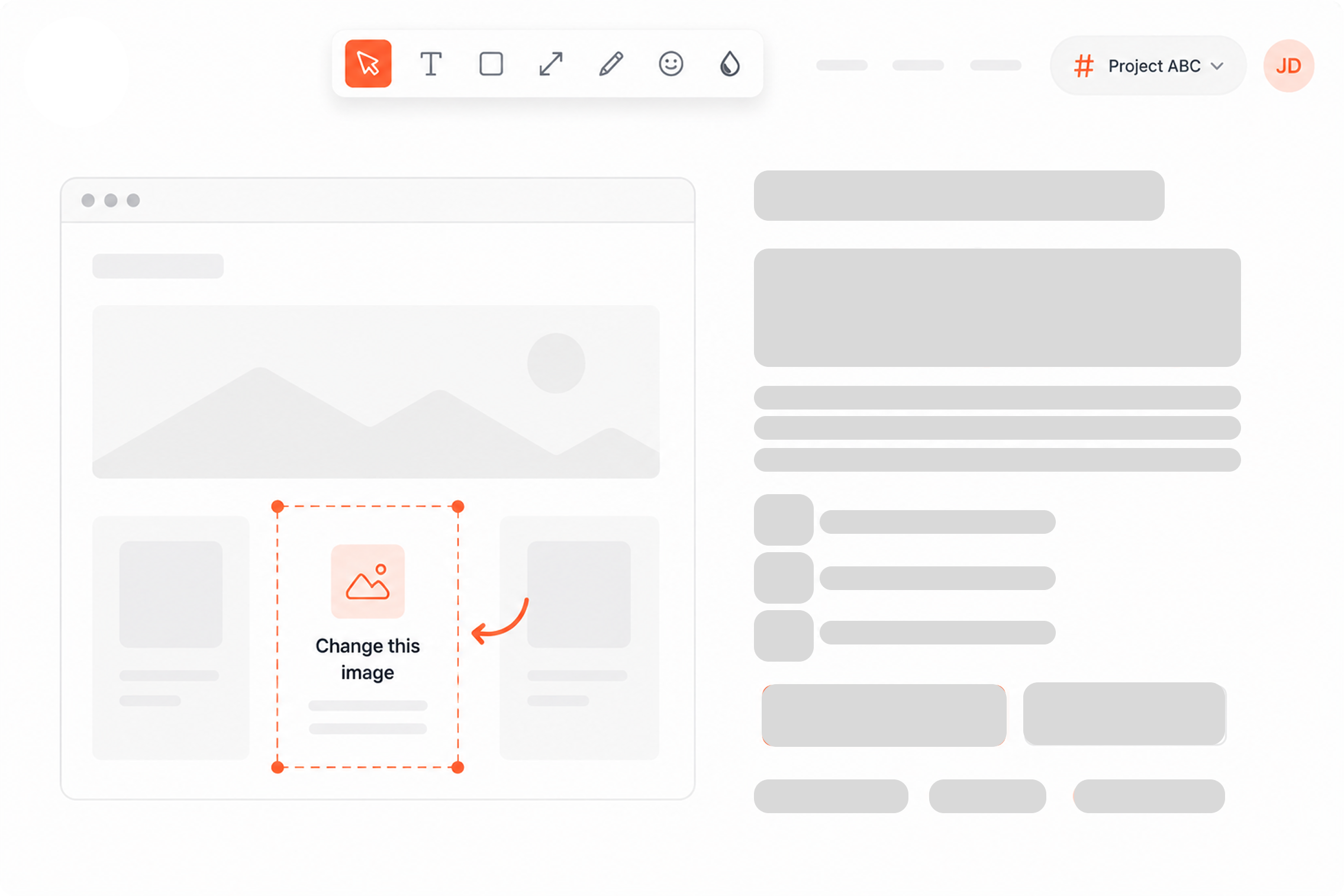
Pin feedback anywhere on your live site
Click on any element on a live page to leave a comment or annotation. Your whole team sees it instantly — no screenshots buried in emails, no context lost in translation.
Get started today and see what your team has been missing.
✎ Suggest editHighlight text and suggest changes on any content element
Reviewers select the text they want to change and type the replacement. PinMarks captures the original, the suggestion and the exact element — no emails, no descriptions, no confusion about which paragraph you mean.
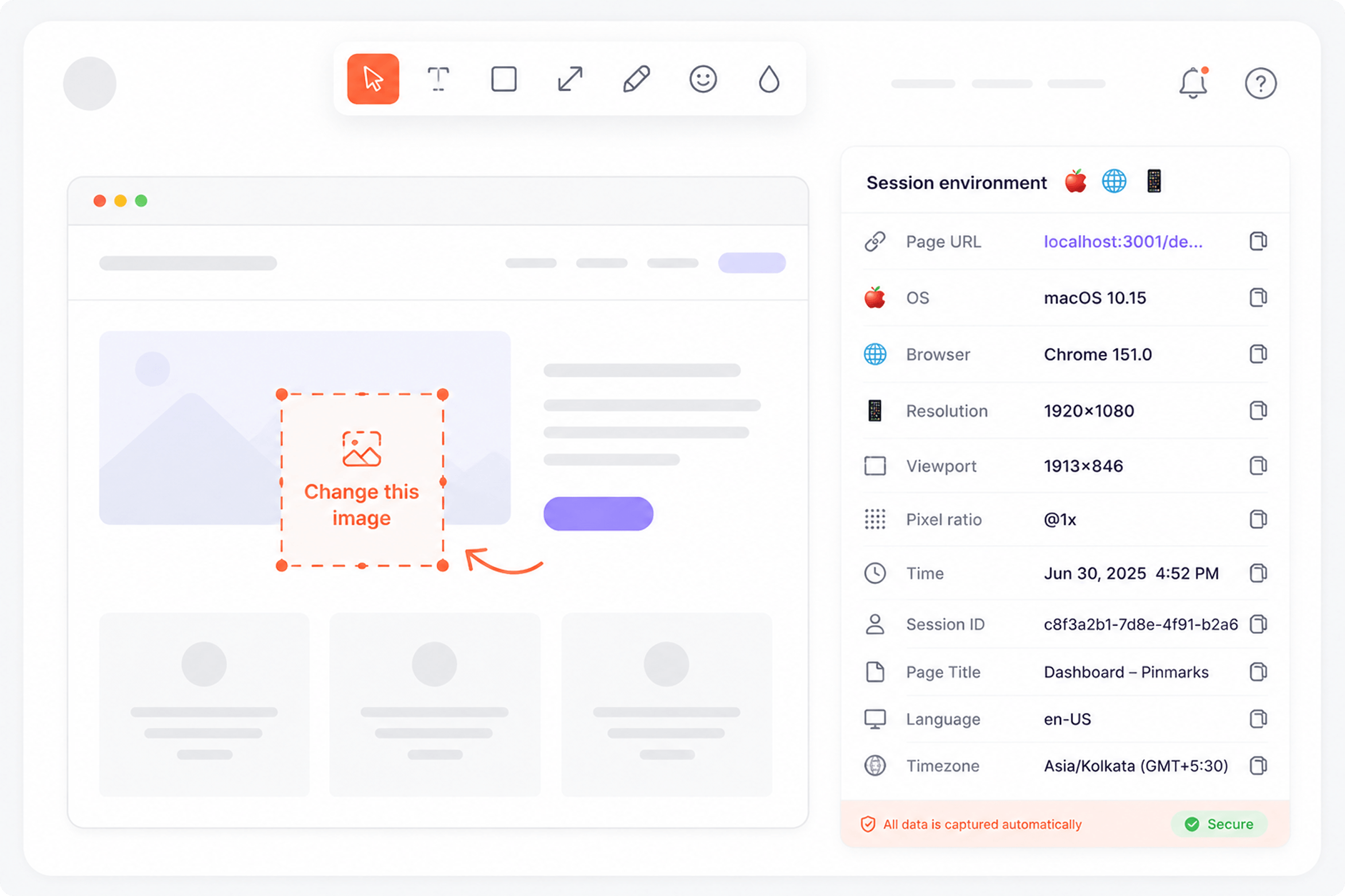
Every bug report ships with full developer context
Browser, OS, screen size, URL, console errors, and failed network requests — all auto-captured the moment feedback is submitted. Devs can reproduce it without a single follow-up question.
User clicked “Checkout” → 404 error appeared
Watch exactly what happened, not just a screenshot
Session replay shows every click, scroll, and action leading up to a bug. Share the recording with your team — no more asking users to screen-record and send a video.
Issue #42 — Login button broken
In ReviewButton not clickable on iPhone 14. Screenshot attached.
Reproduced. CSS z-index conflict on mobile. Working on a fix.
Status updated to In Review. Thanks everyone!
All the discussion. None of the email chains.
Inline comments, file attachments, and status updates — all threaded to the exact issue on the exact page. Keep clients and developers in sync without leaving PinMarks.
Status synced
Resolved ✓
Issue created
Jira #4821
Status update: Jira issue #4821 marked “Done” → PinMarks feedback auto-resolved
Changes in your tools reflect back in PinMarks
Push feedback to Jira, ClickUp, GitHub, or Slack in one click — and when the issue is resolved in your tool, PinMarks updates automatically. No manual status syncing, ever.
Analytics
247
Total feedback
38
Open
189
Resolved
2.4d
Avg resolution
Feedback over time (last 30 days)
By type
By status
Full visibility into your feedback pipeline
Track total feedback, open issues, resolution rate, and average fix time — broken down by type and status. Know exactly where bugs come from and how fast your team fixes them.
Integrations
Works where your
team already is
One-click sync to the tools your team uses every day — no copy-paste, no lost context.
- ✓Two-way status sync with your tracker
- ✓Screenshots, URL and browser details attached
- ✓Comments flow both ways
ClickUp
Push feedback directly to ClickUp tasks. Keep your team moving without switching tools.
Jira
Auto-create Jira issues from every feedback report — screenshots, URL, browser, and OS all attached.
GitHub
Turn website bugs into GitHub issues instantly. Developers get full context in one place.
Slack
Get real-time Slack alerts for new feedback. Loop in your team the moment a bug is reported.
 WordPressWebhooksClickUpJiraGitHubSlackTrelloAsanaLinearNotionGitLabMonday.comWrikeShortcutBasecampTeamworkAzure DevOpsWordPressWebhooks
Privacy tools
Keep sensitive data out of every report
Tools to hide, blur and redact private or personal data before it is captured, stored or shared.
Private data masking
Hide or scramble any part of your site in screenshots with a CSS class. Password fields are always hidden.
Blur tool
Reporters can blur anything on the screenshot before they send it.
Redacted network logs
Sensitive keys — username, password and token by default — are replaced with [REDACTED], and chosen domains are never logged.
Masked session replay
Input values are masked in every replay, so what people type never ends up in a recording.
Private video storage
Screen recordings are stored privately and are only visible to the project they were sent to.
How we handle your data
Read what we collect, how long we keep it and how to delete it.
Read the privacy policy →FAQ
Frequently asked questions
Everything you need to know before you start collecting feedback.
PinMarks is a visual website feedback tool for bug reporting, QA, and UAT. It lets anyone click on a live page to annotate issues — and automatically captures screenshots, browser, OS, URL, and console errors so developers have everything they need to reproduce and fix the bug.
PinMarks is built for product teams, QA engineers, developers, and agencies. Yes — you can use it for design feedback, content reviews, client approvals, and UAT, not just bug reporting.
Very easy. Drop a single script tag into your site — or use our WordPress or HubSpot plugin. Most teams are collecting their first feedback within 2 minutes of signing up. No developer needed for the initial setup.
No. The PinMarks widget is lazy-loaded and runs entirely in the background — zero impact on your page performance or Core Web Vitals.
Yes. PinMarks is designed for exactly this. Your QA team or clients can annotate issues directly on the live site without needing an account. All feedback lands in one place with full technical context attached.
No. Anyone with access to your site can click the widget and submit feedback without signing up — perfect for client reviews and UAT sessions. Only your internal team members need a PinMarks account.
Plans start at $9/mo (billed annually) or $12/mo monthly. The Pro plan is $29/mo (annual) and Agency is $59/mo (annual). Every plan includes a 15-day free trial with no credit card required.
After 15 days your account moves to a read-only state — no data is lost. You can upgrade to any paid plan at any time to continue.
Stop chasing bugs.
Start pinning them.
Start collecting visual feedback today — fix bugs faster and keep your whole team in the loop.
15-day free trial · No credit card · Cancel anytime